# Background
We want to get the ENV value which set from the docker run -e ENV='xxxx' --name xxx-container xxx-image' in client js script, so we need to expose it to client
# Environment
- framework: vue3 + vite
- detail
➜ dcc_front git:(develop) ✗ npm ls
├── @element-plus/icons-vue@2.3.1
├── @tsconfig/node20@20.1.2
├── @types/node@20.11.26
├── @vitejs/plugin-vue@5.0.4
├── @vue/tsconfig@0.5.1
├── date-fns@3.6.0
├── element-plus@2.6.3
├── npm-run-all2@6.1.2
├── pinia@2.1.7
├── rollup@4.13.2
├── typescript@5.4.2
├── vite@5.1.6
├── vue-tsc@2.0.6
├── vue@3.4.21
└── xlsx@0.18.5
# Implement
# main.ts (or main.js)
// 1.append attribute to html tag | |
// 2.set the attribute to global property | |
const htmlNode = document.querySelector("html"); | |
let ENV_NOW | |
if (htmlNode != null){ | |
ENV_NOW = htmlNode.getAttribute("env_now") | |
} | |
if (ENV_NOW) { | |
app.config.globalProperties.$ENV_NOW = `${ENV_NOW}`; | |
} | |
console.log("ENV NOW is: " + ENV_NOW) |
# Dockerfile
FROM nginx | |
# here the code tar generate steps are | |
# 1.npm run build | |
# 2.cd dist && tar zcvf code.tar.gz * | |
# 3.upload to docker build server: scp code.tar.gz user@x.x.x.x:/users/xxx | |
ADD code.tar.gz /etc/nginx/html | |
EXPOSE 443/tcp 8080/tcp | |
# please be attention about the html path | |
CMD ["/bin/bash", "-c", "sed -i \"s@<html@<html env_now=\"$ENV\"@\" /etc/nginx/html/index.html; nginx"] |
# Build & Run
docker image build --platform linux/amd64 -f Dockerfile -t {image}:{tag} ./ --no-cache | |
docker push {image}:{tag} | |
docker run -idt --privileged -p 9090:8080 -e ENV='jalen12322222' --name test-env {image}:{tag} |
# Demo
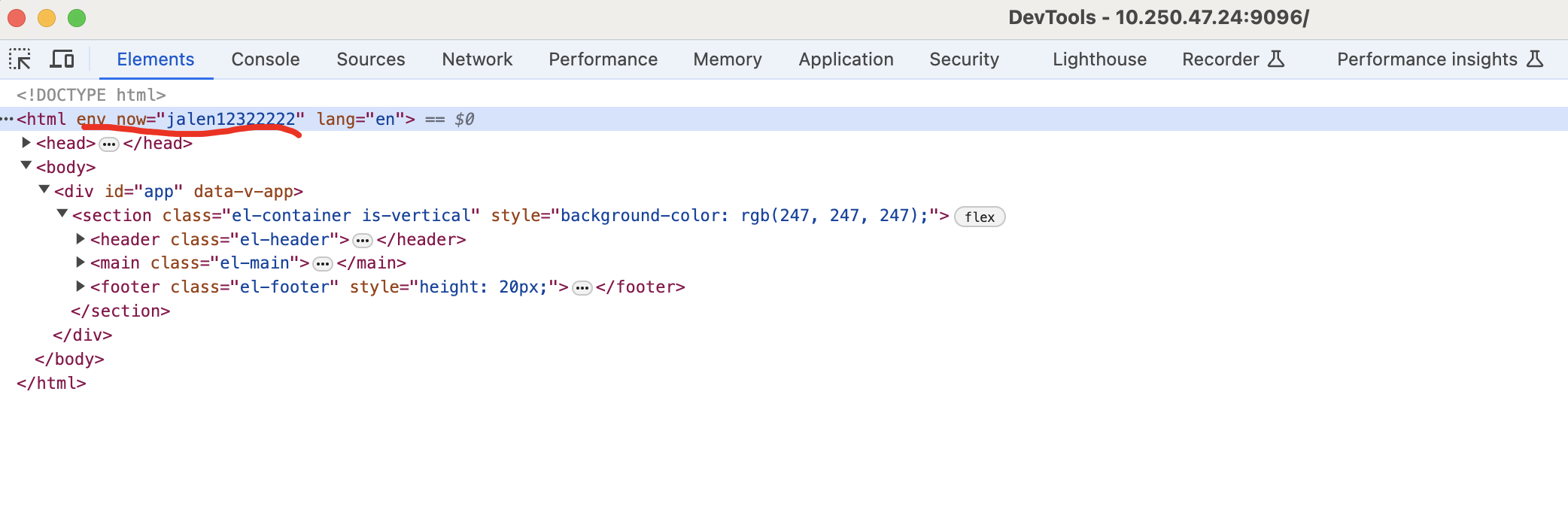
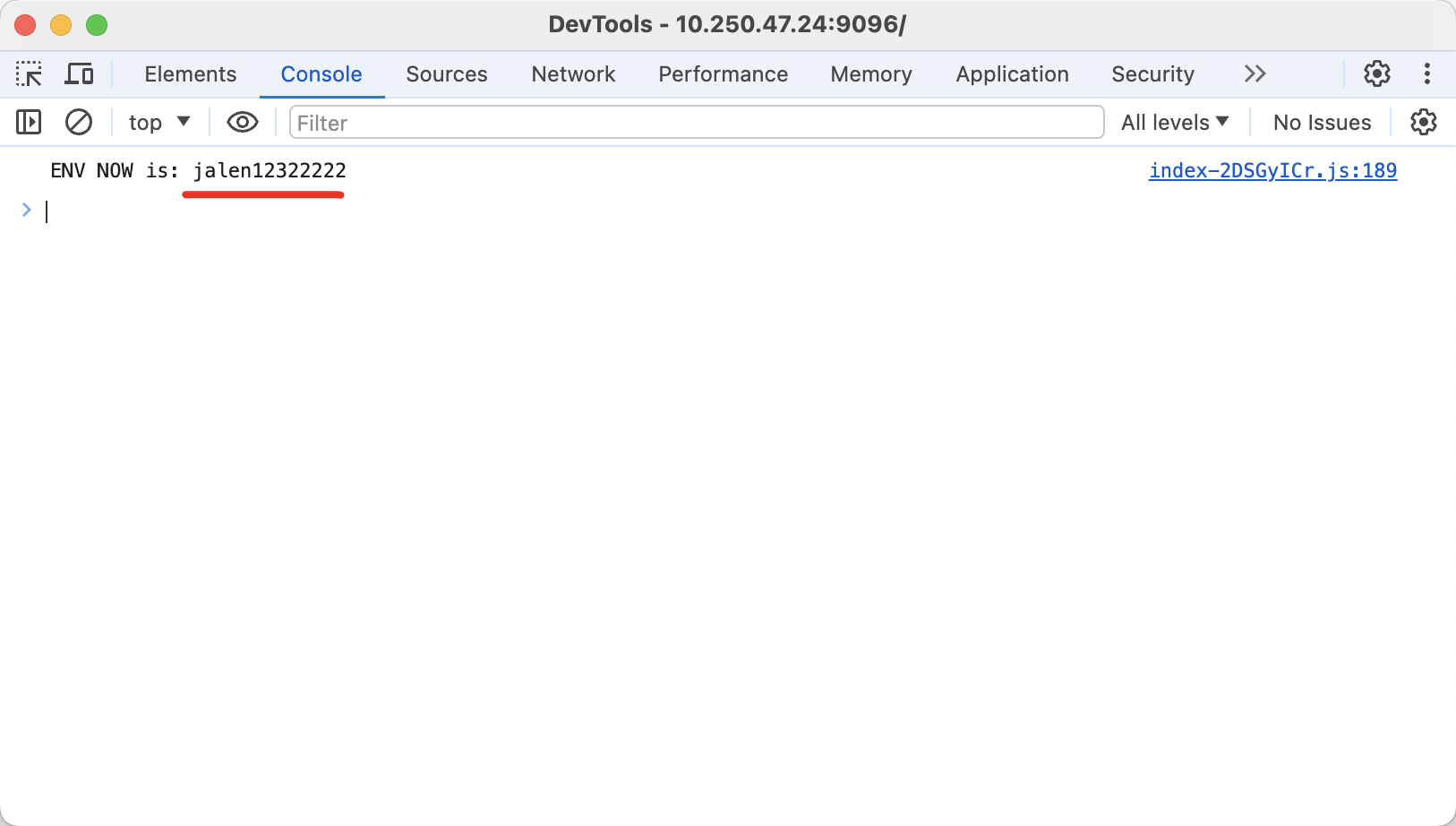
# Reference
https://juejin.cn/post/6901944817106812942
